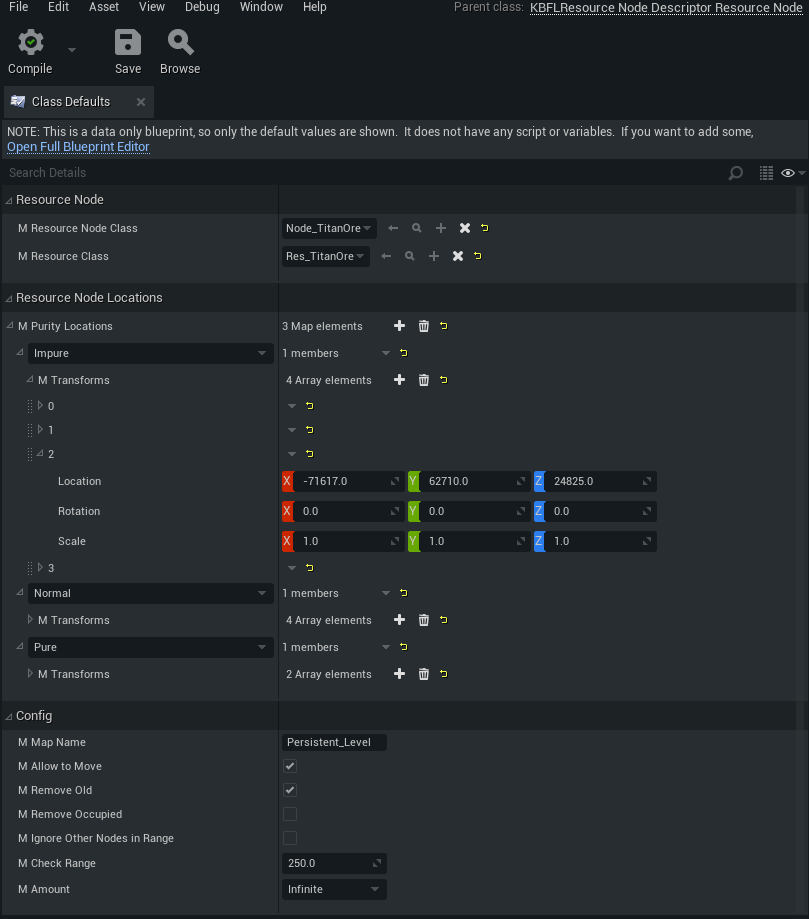
Actor Spawn Descriptor: Resource Nodes
Create a new actor spawn
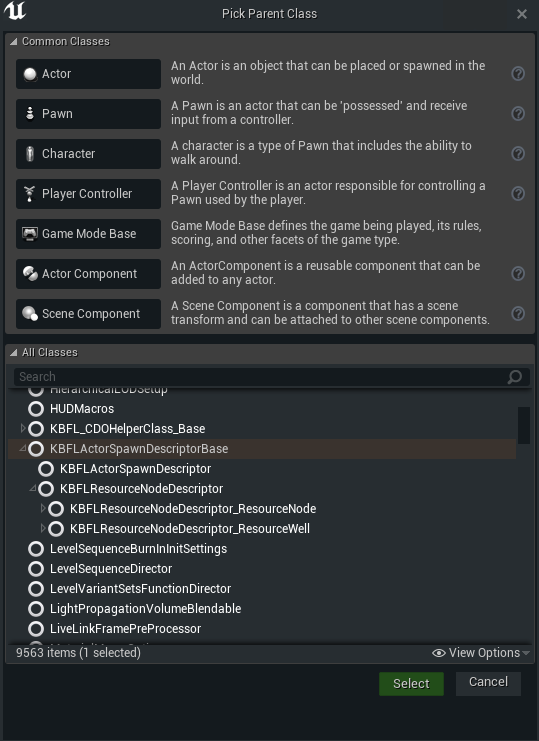
First you need to create a new blueprint class from the parent KBFLResourceNodeDescriptor_ResourceNode this class will use to set the options and information for the Actor.
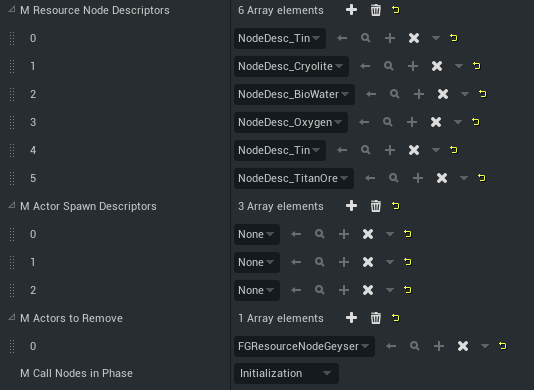
after that we need to add this Description to our GameWorldModule. for that use the tab Resource Nodes
and ass this class to M Resource Node Descriptors
you can also mark classes to remove from the world with M Actors to Remove
And you can set in the GameWorldMode when the subsystem should start to spawn by change m Call Nodes in Phase. (I use Initialization as default)
|
Please don’t use 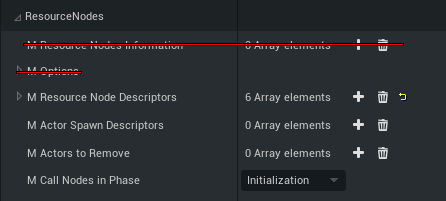
|
Configuration
Main Options
-
M Resource Node ClassThe Class for the Resource Node (Should use if you want custom Meshes and avoid bugs!) -
M Resource ClassThe Resource Descriptor for the resource node -
M Purity LocationsMap with purity and there locations-
If you want for example a normal node add the location to
Normal
-
Spawn Options
-
M Map NameThe name of the map for spawning -
M Allow to MoveShould the actor allow moving if the location incorrect and in range of theM Check Range -
M Remove OldShould the system remove all incorrect Actors? (incorrect are all actors that not in theM Check Rangeor duplicate) -
M Remove OccupiedShould it also remove Nodes that are Occupied? -
M Ignore Other Nodes in RangeShould it ignore other node classes in range? (for prevent overlap useM Check Range) -
M Check RangeThe range for the sphere for checking for other Actors (to prevent overlap and infinity spawn) -
M AmountThe Amount of the Resource Nodes