Actor Mixins
Actor Mixins are an extension of the Blueprint Hook System designed to allow adding extra functionality or components to existing Unreal Actors your mod doesn’t own. After selecting an actor class to base the Mixin off of, you are presented with a blueprint that looks as if it was the actor itself. From there you can add actor components or set up Blueprint Hooks to call functions you define.
Actor Mixins replaced the previous SCS Hooks system in SML 3.11.
Creating an Actor Mixin
Creating a Mixin is similar to creating a Blueprint Hook.
Within the Editor, create a new Blueprint of the type "Blueprint Mixin"
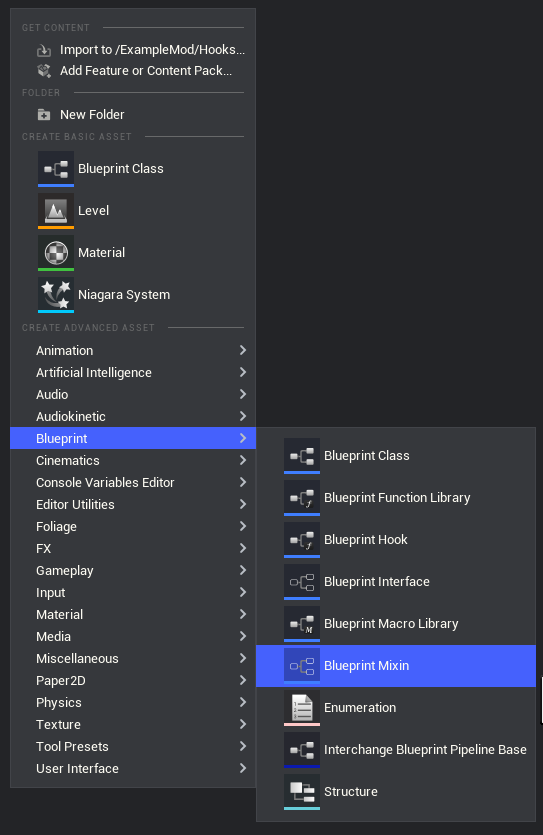
When creating it you will be given a prompt to choose which Actor to add the Mixin to.
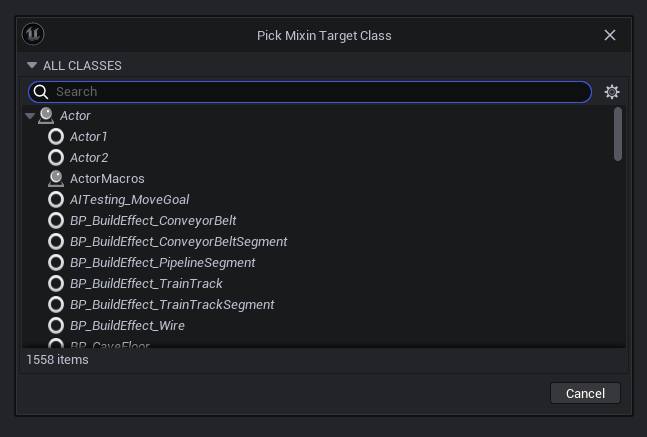
The suggested asset naming format is Mixin_ActorOrPurpose_ModReference.
Adding Components
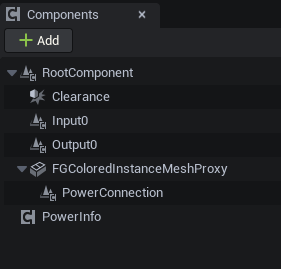
Upon opening the Mixin you will be presented with an empty graph. The components of the actor you are hooking will also be shown and use the Viewport tab to visualize them.
You can add additional components attached to anything in the actor’s hierarchy. They will appear with green text to distinguish them from the original actor’s components.
Adding Logic
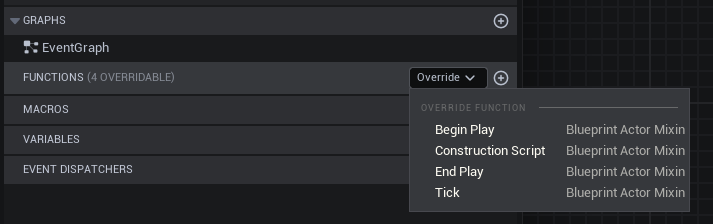
By default, Mixins allow you to implement additional code for the Begin Play, Construction Script, End Play, and Tick functions on the actor. Note that even though the Unreal editor labels these as overrides when creating them, they do not cancel the original function on the actor and are instead created as event nodes.
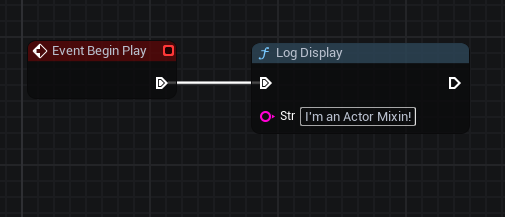
|
If you intend to use "Tick" make sure to check "Enable Mixin Tick" in the mixin class defaults. 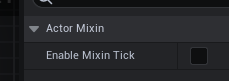
|
Adding Hooks
Since Mixins are extensions of Blueprint Hook assets, you can open the Hook Graph window to define hooks in a Mixin. These hooks always target the actor class you selected when creating the Mixin.
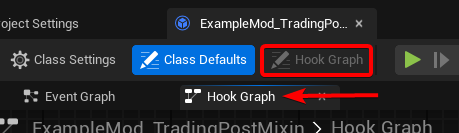
Registering the Mixin
Actor Mixins must be registered in a Game Instance Module to be applied in-game. Create a Mod Game Instance Module if you don’t already have one and add your new Mixin to the "Blueprint Hooks" array.

Referencing Mixins and their Targets
When writing blueprint code in a Mixin, the Self node refers to the mixin object as opposed to the actor it is targeting.
To get a reference to the target actor instead, use the Mixin Target node.
When you have a reference to an actor and need a reference to a mixin applied to it,
use the GetActorMixin node or UBlueprintActorMixin::GetActorMixin function.
Be sure to check if the returned mixin object is not null (for example, by using Is Valid) before using it.
Limitations and Workarounds
Blueprint Actors Only
The Blueprint Hooks system only works on blueprint-implemented content. As the Actor Mixin system is an extension of the blueprint hooks system, it only works on blueprint-implemented actors. This rarely causes problems as most actors in Satisfactory are blueprint actors backed by C++ actor classes.
Notable actors that are not blueprint implemented include:
-
The dropped items that spawn as loot around Drop Pods
The closest workaround for C++ actors would be hooking begin play, although that is no longer using the Mixin system.
Level Actors and Saved Data
Actors that are spawned and streamed with the level required special handling interally to work with the actor mixin system. As a consequence of this, SaveGame properties on components added via Mixins to level actors will not be loaded.
To work around this, save this data on something else saved instead, such as a Mod Subsystem. Data could be associated with each component via a map of soft object references to data structs. Using a soft reference is important here as the object could potentially be unloaded, leading to null keys in the map.
Examples
Check out ExampleMod and the Open Source Examples page for examples of existing hook blueprints.